Facebook
 Google
 GitHub
 Linkedin
Agentic Requirements Engineering: From Notes to Specs to Working Designs
AI agents that operate inside your design software turn requirements into a working mental model you can design against, test, and verify — all within the ECAD environment you already use.
Requirements are the starting point of any hardware product development. They define what the product has to do before you make a single design decision. But you usually inherit them from someone else.
When you get the specification, you spend a lot of time figuring out what the requirements ask for. That time should go into design decisions instead. That's where Agentic Requirements Engineering in Requirements Portal comes in. It puts AI agents to work on your requirements data, on your terms. They can:
- Answer questions about your requirements with full project context.
- Suggest changes for you to review.
- Flag conflicts or gaps before they reach your design.
In this article, you’ll see how Agentic Requirements Engineering transforms the requirements you get into ones you can build from.
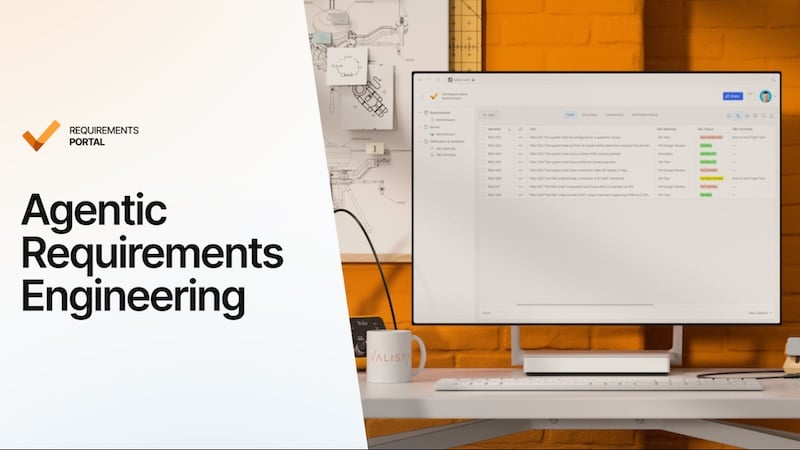
Agentic Requirements Engineering transforms raw input into actionable specifications.
The Gap Between Received Requirements and Design Work
In most hardware projects, someone else writes the requirements for you. They come from a systems team, a customer, a standard, or an earlier project. Your job is to design a product that meets them. That's your reality as an implementation engineer.
Requirements rarely show up in a form you can design against. They arrive as long specs, PDFs, spreadsheets, and customer emails. A spec might have a hundred or more requirements. Only some of them apply to your board, and finding those is your job. So the manual work starts:
- You read the whole document to find what affects your design.
- You copy the details that matter into your own notes.
- You ask other teams to fill in the gaps.
That's slow, but the real cost of that action shows up later:
- You find the missed requirement only after the boards come back, and now you need a respin.
- A requirement changed, nobody told you, and you designed against the old version.
- You made a design choice to meet a requirement. Months later, you can't remember which one or why, so you lose time reverse-engineering your own designs.
You know good requirements matter. But requirements sit away from the design work, not with it. That separation is the real problem.
Where the Usual Fixes Fall Short
Faced with that gap, you reach for one of three fixes. None of them close it, because all three keep requirements separate from the design:
- A better spreadsheet is still a spreadsheet. It goes out of date the moment something changes.
- Enterprise requirements management systems are built for compliance and process control. Using them feels like admin, not engineering work.
- A general AI chatbot has no idea what's in your project, so its answers stay generic.
What helps you is different. It comes down to two things:
- Keep requirements connected to the design work they drive, so what you build stays linked to what drives it.
- Put AI to work on that project data, so it can read your requirements, answer questions with context based on that data, and suggest changes.
That's what Requirements Portal's Agentic Requirements Engineering does. And it works on one rule: the AI proposes, you decide. Every change waits for your approval.
Putting Agentic Requirements Engineering to Work
Once you have the spec, the work happens in a few predictable stages:
- Get the requirements into a usable form.
- Work out what they mean for your board.
- Plan how you'll verify them.
Agentic Requirements Engineering shows up at each of those stages.
Import and Link Requirements to Your Design
Requirements reach you as a customer PDF, an old spreadsheet, or a standard with the relevant design constraints buried inside. Getting them into your ECAD environment was never the hard part, but making them usable is.
The AI-Assisted Importer takes your starting document and turns it into structured requirements. You can review these before saving anything. Skip the retyping.
Agentic AI systems can convert assorted specifications into structured requirements.
Your structured requirements only work once you tie them to the design. That connection happens where you already work.
In Altium Designer, the requirements for your board open in a panel next to your schematic or layout. You link each one to the component or design element that satisfies it:
- An EMC requirement to the filter component on the schematic.
- A connector requirement to the part in the BOM.
Mark them verified during a design review, and the rest of the team sees the update too. Instead of being just a line in a document, a requirement is now tied directly to the design decision that meets it.
Understand a Specification Faster
Now the requirements are in and linked. Next, you need to know which of these requirements affect what you're designing.
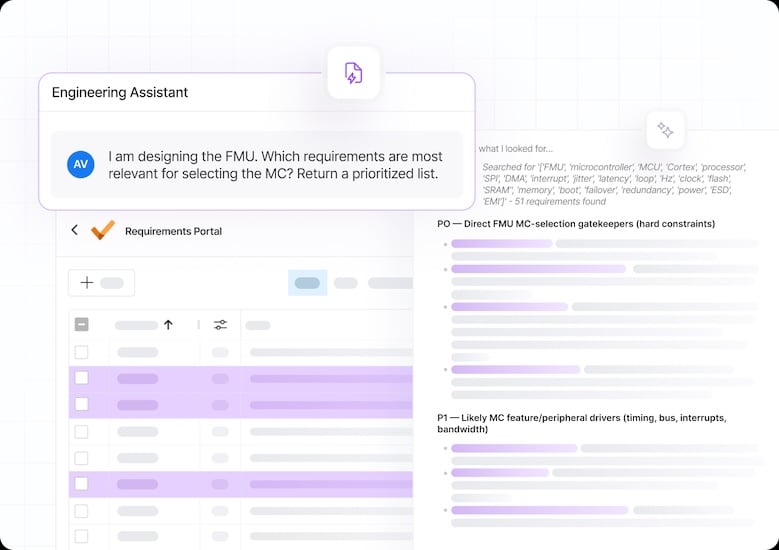
The Engineering Assistant lets you ask those questions directly, in plain language:
- Which requirements affect this board or interface?
- What are the power budget constraints?
- Are there EMC or ESD requirements to design around?
Every answer is grounded in your project's own requirements, not a generic model. You can find what's important in minutes, not by scanning through a hundred-page document.
You see the response in the UI, review it, and act on what's relevant.
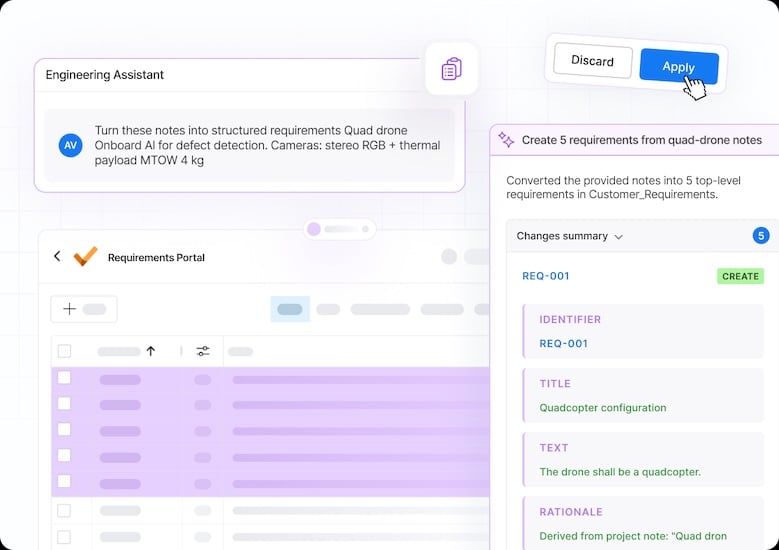
Agentic requirements engineering can help you organize and prioritize your design needs.
Draft Test Cases from Requirements
Designing to a requirement covers only half of your job. You also have to show it was met. That means every requirement needs a way to be verified, and the ones without a test are easy to miss until late.
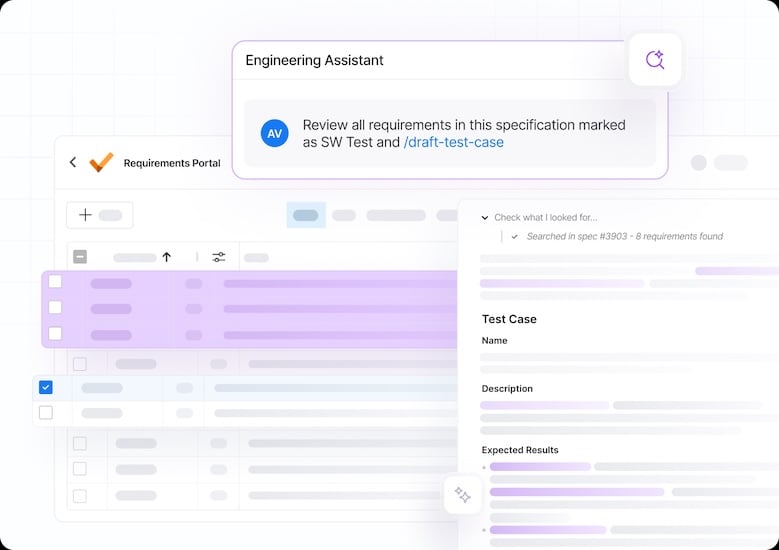
AI Skills can improve and simplify your design verification process.
This is where AI Skills help. A Skill turns a repeatable process into instructions the AI reuses. Instead of checking coverage by hand, you run a Skill. It scans for requirements with no linked verification and drafts a test case for each, based on your company's template. The result: you find untested requirements while there is still time to act, instead of discovering them after the hardware is built.
Key Takeaways
- Received requirements must be clear enough for you to design against.
- Requirements only work when you connect them to the design and let AI work with them directly.
- Agentic Requirements Engineering helps you understand and act on your specs faster, with every change left for you to approve.
Get Started with Agentic Requirements Engineering
Agentic Requirements Engineering is now in Requirements Portal. It's included with every Altium Develop and Agile Teams subscription. No new ECAD tool and no extra license.
New to Requirements Portal? Start a free 30-day evaluation. No credit card is required, and it includes sample data ready for you to explore.
Bring in a specification you already design against. See what it takes to turn it into requirements you can work from.
Related Content