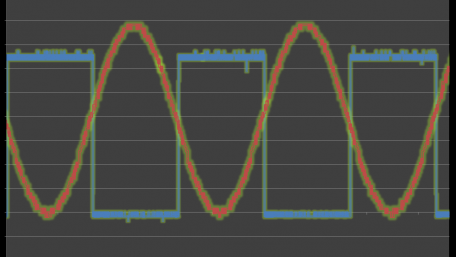
Part 1 in the “How to Make an EFM8-Based Sound Synthesizer” series, which will design a sound synthesizer that can play standard musical notes. We will…
Part 1 in the “How to Make an EFM8-Based Sound Synthesizer” series, which will design a sound synthesizer that can play standard musical notes. We will accomplish this using a low-cost, small-form-factor EFM8 microcontroller in conjunction with a few external components and a speaker.

Part 5 in the “How to Make an Ambient Light Monitor” series.
Part 5 in the “How to Make an Ambient Light Monitor” series.

Part 4 in the “How to Make an Ambient Light Monitor” series
Part 4 in the “How to Make an Ambient Light Monitor” series

You and your friends are planning the greatest party your hometown has ever seen. Just one problem: you don't have a…
You and your friends are planning the greatest party your hometown has ever seen. Just one problem: you don't have a karaoke system. What's a great party with no karaoke? We're about to fix that. All you need are a few potentiometers and an op-amp.

Part 2 in the "How to Make an Ambient Light Monitor" Series. Our smart ambient light monitor will need to digitize and…
Part 2 in the "How to Make an Ambient Light Monitor" Series. Our smart ambient light monitor will need to digitize and analyze signals from an optical detector, so it is time to explore the EFM8’s integrated analog-to-digital conversion functionality.

Part 3 in the “How to Make an Ambient Light Monitor” series. The project continues by building an ambient light…
Part 3 in the “How to Make an Ambient Light Monitor” series. The project continues by building an ambient light sensor circuit on a breadboard, digitizing the circuit’s output signals, and interpreting the digitized measurements.

How to interface a Raspberry Pi to an I2C temperature sensor (TMP102) and then publish the data to a Google sheet and graph.
How to interface a Raspberry Pi to an I2C temperature sensor (TMP102) and then publish the data to a Google sheet and graph.

Introduction to the Arduino SPI Library with example sketch for the LTC1286 12 Bit ADC and the DAC714 16 bit DAC.
Introduction to the Arduino SPI Library with example sketch for the LTC1286 12 Bit ADC and the DAC714 16 bit DAC.

Build an analog booby-trap alarm system with an LM386 amplifier and an NPN transistor. This alarm system is activated by…
Build an analog booby-trap alarm system with an LM386 amplifier and an NPN transistor. This alarm system is activated by a trip sensor that sets off a screeching noise, alerting everyone and scaring off thieves.

An infrared (IR) light sensor allows the use of an Arduino to receive and decode signals from a TV remote control.
An infrared (IR) light sensor allows the use of an Arduino to receive and decode signals from a TV remote control.

To control high-voltage or high-power circuits with an Arduino, you have to isolate them from the Arduino with a relay.…
To control high-voltage or high-power circuits with an Arduino, you have to isolate them from the Arduino with a relay. Here's how!

The Arduino can input and output analog signals as well as digital signals.
The Arduino can input and output analog signals as well as digital signals.

Controlling a motor with an Arduino is relatively easy. In addition to simply spinning the motor, you can control the…
Controlling a motor with an Arduino is relatively easy. In addition to simply spinning the motor, you can control the position of the motor shaft if the motor has a rotary encoder.

Infrared (IR) sensors are normally used to measure distances, but they can also be used to detect objects. By connecting…
Infrared (IR) sensors are normally used to measure distances, but they can also be used to detect objects. By connecting a couple of IR sensors to an Arduino, you can make an intruder alarm.

Communicating serially with the Arduino is easy! Here, we'll show how to take some temperature measurements and then send…
Communicating serially with the Arduino is easy! Here, we'll show how to take some temperature measurements and then send the measurements over the serial link.


 Facebook
 Google
 GitHub
 Linkedin