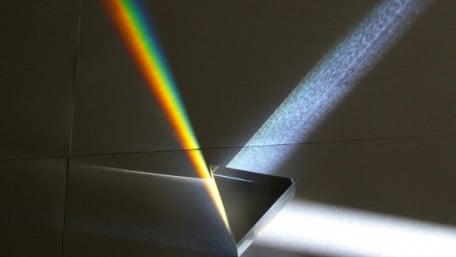
Display colors by precisely controlling the intensity of red, green, and blue LEDs.
Display colors by precisely controlling the intensity of red, green, and blue LEDs.

Take a few minutes to characterize a light dependent resistor (LDR) and you can build a simple and reasonably accurate…
Take a few minutes to characterize a light dependent resistor (LDR) and you can build a simple and reasonably accurate light meter can be built using an LDR and an Arduino.

In this project, you'll learn how to wire an LED and flash it using the Raspberry Pi. Also, to isolate the Raspberry Pi's…
In this project, you'll learn how to wire an LED and flash it using the Raspberry Pi. Also, to isolate the Raspberry Pi's + 3.3VDC compliant output pins from supply voltages greater than this power source, an opto-isolator will be introduced as well.

An inexpensive PICAXE microcontroller makes it easy to read a temperature sensor, compare the temperature to a setpoint,…
An inexpensive PICAXE microcontroller makes it easy to read a temperature sensor, compare the temperature to a setpoint, and turn a heater or cooler circuit on or off.

Use a WS2812 RGB LED strip to visualize the pose of an MPU-6050 6-degree-of-freedom IMU in three dimensional space.
Use a WS2812 RGB LED strip to visualize the pose of an MPU-6050 6-degree-of-freedom IMU in three dimensional space.

This article will show you one way of making an accurate clock by using the Real Time Clock IC DS1307. The time will be…
This article will show you one way of making an accurate clock by using the Real Time Clock IC DS1307. The time will be shown on a LCD display.

Part 4 in the “How to Make an Ambient Light Monitor” series
Part 4 in the “How to Make an Ambient Light Monitor” series

How to read humidity and temperature from a DHT11 and display it on a LCD with a PIC microcontroller. In this example…
How to read humidity and temperature from a DHT11 and display it on a LCD with a PIC microcontroller. In this example we're going to use a PIC16F628A.

Part 3 in the “How to Make an Ambient Light Monitor” series. The project continues by building an ambient light…
Part 3 in the “How to Make an Ambient Light Monitor” series. The project continues by building an ambient light sensor circuit on a breadboard, digitizing the circuit’s output signals, and interpreting the digitized measurements.

Learn how to use an EFM8 microcontroller to convert current and voltage measurements to digits that can be displayed on…
Learn how to use an EFM8 microcontroller to convert current and voltage measurements to digits that can be displayed on an LCD. We'll discuss a convenient way to report analog-to-digital conversion values that represent current and voltage amplitudes.

Use the EFM8’s USB functionality to transfer an image from your PC to an LCD.
Use the EFM8’s USB functionality to transfer an image from your PC to an LCD.

Learn how to design characters using an image editor and display them on an LCD controlled by an EFM8 microcontroller.
Learn how to design characters using an image editor and display them on an LCD controlled by an EFM8 microcontroller.

Since different colors reflect different levels of light, you can use a photoresistor or a phototransistor to sense…
Since different colors reflect different levels of light, you can use a photoresistor or a phototransistor to sense different colors.

The ease with which an Arduino can obtain sensor values is one of the features that makes it so useful.
The ease with which an Arduino can obtain sensor values is one of the features that makes it so useful.

Monitoring the output of a light-dependent resistor, or photoresistor, allows the Arduino to know how light or dark it…
Monitoring the output of a light-dependent resistor, or photoresistor, allows the Arduino to know how light or dark it is. When the light falls below a certain level, the Arduino turns on a couple of LEDs.


 Facebook
 Google
 GitHub
 Linkedin