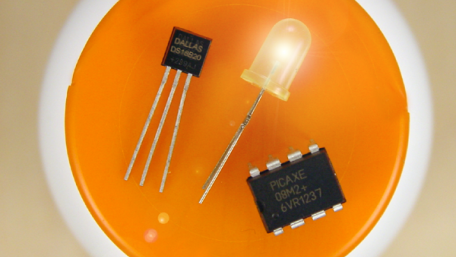
An inexpensive PICAXE microcontroller makes it easy to read a temperature sensor, compare the temperature to a setpoint, and turn a heater or cooler circuit on or off.
An inexpensive PICAXE microcontroller makes it easy to read a temperature sensor, compare the temperature to a setpoint, and turn a heater or cooler circuit on or off.

Use a WS2812 RGB LED strip to visualize the pose of an MPU-6050 6-degree-of-freedom IMU in three dimensional space.
Use a WS2812 RGB LED strip to visualize the pose of an MPU-6050 6-degree-of-freedom IMU in three dimensional space.

Using an LCD increases the versatility of any microcontroller by displaying data outputs and memory contents. This serial…
Using an LCD increases the versatility of any microcontroller by displaying data outputs and memory contents. This serial adapter uses only one I/O.

This article will show you one way of making an accurate clock by using the Real Time Clock IC DS1307. The time will be…
This article will show you one way of making an accurate clock by using the Real Time Clock IC DS1307. The time will be shown on a LCD display.

LCDs are great for showing info from your microcontroller. A serial adapter is inexpensive, uses only one I/O, and is…
LCDs are great for showing info from your microcontroller. A serial adapter is inexpensive, uses only one I/O, and is easy to connect and to use.

Part 4 in the “How to Make an Ambient Light Monitor” series
Part 4 in the “How to Make an Ambient Light Monitor” series

How to read humidity and temperature from a DHT11 and display it on a LCD with a PIC microcontroller. In this example…
How to read humidity and temperature from a DHT11 and display it on a LCD with a PIC microcontroller. In this example we're going to use a PIC16F628A.

Part 3 in the “How to Make an Ambient Light Monitor” series. The project continues by building an ambient light…
Part 3 in the “How to Make an Ambient Light Monitor” series. The project continues by building an ambient light sensor circuit on a breadboard, digitizing the circuit’s output signals, and interpreting the digitized measurements.

Learn how to use an EFM8 microcontroller to convert current and voltage measurements to digits that can be displayed on…
Learn how to use an EFM8 microcontroller to convert current and voltage measurements to digits that can be displayed on an LCD. We'll discuss a convenient way to report analog-to-digital conversion values that represent current and voltage amplitudes.

Use the EFM8’s USB functionality to transfer an image from your PC to an LCD.
Use the EFM8’s USB functionality to transfer an image from your PC to an LCD.

The 08M2 is the smallest member of the PICAXE family of microcontrollers; it is inexpensive, versatile, and easy to…
The 08M2 is the smallest member of the PICAXE family of microcontrollers; it is inexpensive, versatile, and easy to program using free software.

Learn how to design characters using an image editor and display them on an LCD controlled by an EFM8 microcontroller.
Learn how to design characters using an image editor and display them on an LCD controlled by an EFM8 microcontroller.

A simple LCD control project with an EFM8 evaluation board demonstrates basic principles of embedded development.
A simple LCD control project with an EFM8 evaluation board demonstrates basic principles of embedded development.

In this tutorial we are going to see how to use Arduino Joystick Shield. There are different versions but we'll be using…
In this tutorial we are going to see how to use Arduino Joystick Shield. There are different versions but we'll be using v2.4, which has some interesting features and some extra buttons which can be used in your application in different ways.

It's easy to make a simple digital voltmeter using an Arduino and 16x2 liquid crystal display (LCD).
It's easy to make a simple digital voltmeter using an Arduino and 16x2 liquid crystal display (LCD).

For many applications, there's no need to use a more expensive liquid crystal display to display data. A simple…
For many applications, there's no need to use a more expensive liquid crystal display to display data. A simple seven-segment display is sufficient.

You can easily interface a liquid crystal display (LCD) with an Arduino to provide a user interface.
You can easily interface a liquid crystal display (LCD) with an Arduino to provide a user interface.


 Facebook
 Google
 GitHub
 Linkedin