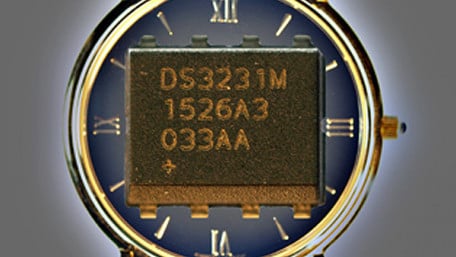
Use DS3231M RTC alarm functions to make programmable, time-based, switches to power devices on and off at precise times.
Use DS3231M RTC alarm functions to make programmable, time-based, switches to power devices on and off at precise times.

This article covers the firmware that allows the EFM8 microcontroller to communicate with the DAC and the MAX31855.
This article covers the firmware that allows the EFM8 microcontroller to communicate with the DAC and the MAX31855.

Ever wanted to find out more about Class D amplification? Here's a handy breakdown.
Ever wanted to find out more about Class D amplification? Here's a handy breakdown.

To simplify Boolean functions (or switching functions), one might use the Karnaugh map method when there are not that…
To simplify Boolean functions (or switching functions), one might use the Karnaugh map method when there are not that many variables used. However, if a greater amount of variables are used or if several Boolean functions need simplification, using a computer is ideal. The Quine-McCluskey procedure presents a systematic approach that can easily be programmed into a computer for digital simplification.

Firmware architecture and example code for an I2C interface based on the Silicon Labs SMBus peripheral.
Firmware architecture and example code for an I2C interface based on the Silicon Labs SMBus peripheral.

The FRDM-K64F is a development platform which utilises the MK64FN1M0VLL12 microcontroller. This tutorial includes how to…
The FRDM-K64F is a development platform which utilises the MK64FN1M0VLL12 microcontroller. This tutorial includes how to download a simple blinky example onto the FRDM-K64F using the ARM mbed online IDE and KEIL MDK. Details of the GPIO module configuration are included.

NAND and NOR gates are widely known to be universal logic gates, meaning that any other logic gate be made from NAND or…
NAND and NOR gates are widely known to be universal logic gates, meaning that any other logic gate be made from NAND or NOR gates. This article discusses other universal logic gates.

Learn how to use a rotary encoder in an Arduino project. Rotary encoders are electromechanical, electro-optical or…
Learn how to use a rotary encoder in an Arduino project. Rotary encoders are electromechanical, electro-optical or electro-magnetic devices which convert rotational motion into digital or analog information.

This article will show you one way of making an accurate clock by using the Real Time Clock IC DS1307. The time will be…
This article will show you one way of making an accurate clock by using the Real Time Clock IC DS1307. The time will be shown on a LCD display.

We've all been there - you've spent hours and hours trying to get that sketch working, but somehow, you're not reacting…
We've all been there - you've spent hours and hours trying to get that sketch working, but somehow, you're not reacting well to time critical events in your system. Maybe it's a wireless peripheral indicating when a packet is ready. Maybe it's an external Flash device signaling when data is ready to be read out. Maybe it's as simple as a button push that you need to react quickly to! But, try as you might, it seems the best way to see these sort of events is to just digitalRead() that pin over and over in your main loop() function until something interesting happens. ...or is it?

The digital inputs and outputs (digital I/O) on the Arduino are what allow you to connect sensors, actuators, and other…
The digital inputs and outputs (digital I/O) on the Arduino are what allow you to connect sensors, actuators, and other ICs to the Arduino . Learning how to use the inputs and outputs will allow you to use the Arduino to do some really useful things, such as reading switch inputs, lighting indicators, and controlling relay outputs.


 Facebook
 Google
 GitHub
 Linkedin