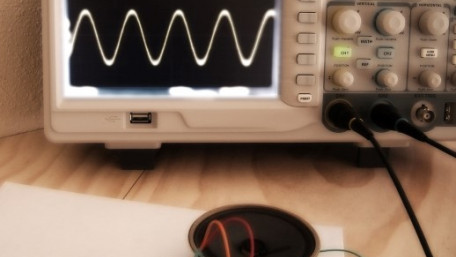
Part 2 in the “How to Make an EFM8-Based Sound Synthesizer” series.
Part 2 in the “How to Make an EFM8-Based Sound Synthesizer” series.

Part 3 introduces the if...then, endif, gosub, and return PICAXE BASIC commands. It is the third article in a multi-part…
Part 3 introduces the if...then, endif, gosub, and return PICAXE BASIC commands. It is the third article in a multi-part series on writing PICAXE code.

This is the second article in a multi-part series on writing PICAXE BASIC code. It introduces the for...next command, the…
This is the second article in a multi-part series on writing PICAXE BASIC code. It introduces the for...next command, the wait command, general purpose variables, the symbol command, and the #no_data directive.

Part 1 in the “How to Make an EFM8-Based Sound Synthesizer” series, which will design a sound synthesizer that can…
Part 1 in the “How to Make an EFM8-Based Sound Synthesizer” series, which will design a sound synthesizer that can play standard musical notes. We will accomplish this using a low-cost, small-form-factor EFM8 microcontroller in conjunction with a few external components and a speaker.

In this article I will discuss what switch bounce is and some ways to deal with it. First I will take you through the…
In this article I will discuss what switch bounce is and some ways to deal with it. First I will take you through the theory, and later I will show you some ways to handle it in both hardware and in software.

Part 5 in the “How to Make an Ambient Light Monitor” series.
Part 5 in the “How to Make an Ambient Light Monitor” series.

Learn how to set up the Wunderbar platform to begin building your own IoT apps. This will demonstrate the "Can't Touch…
Learn how to set up the Wunderbar platform to begin building your own IoT apps. This will demonstrate the "Can't Touch This" and "Tell Me When" demo applications to measure WunderBar sensors and perform actions based on them. Some of the major bugs are discussed.

Getting started with PSoC®, the Programmable-System-on-Chip by Cypress Semiconductor for developing and testing embedded systems.
Getting started with PSoC®, the Programmable-System-on-Chip by Cypress Semiconductor for developing and testing embedded systems.

A guideline for proper considerations when making electrical platforms that can be easily, cheaply, and quickly…
A guideline for proper considerations when making electrical platforms that can be easily, cheaply, and quickly manufactured. The purpose and methods of proper board design, validation, testing, and technical support is discussed, from small to large scale production.

This is the first in a multi-part series on writing PICAXE BASIC code. This article covers how to read PICAXE pin-out…
This is the first in a multi-part series on writing PICAXE BASIC code. This article covers how to read PICAXE pin-out diagrams, a circuit for coding practice, and the general program format.

Create a smart home by displaying the current salt level of your water softener with the CC3200 and a proximity sensor.
Create a smart home by displaying the current salt level of your water softener with the CC3200 and a proximity sensor.

This article is part 2 of a two-part series that introduces the tools and techniques for programming PICAXE…
This article is part 2 of a two-part series that introduces the tools and techniques for programming PICAXE microcontrollers. Part 1 focused on construction of a test circuit and the AXEpad IDE; part 2 covers the PICAXE Editor 6 IDE.

Beaglebone Black is the most recent incarnation of the Beaglebone open source hardware platform. For less than $50, the…
Beaglebone Black is the most recent incarnation of the Beaglebone open source hardware platform. For less than $50, the board includes Ethernet, graphics processing, 4Gb of nonvolatile storage, and ports supporting USB, HDMI, and Beaglebone's custom I/O add-ons, called "capes". Here's how to run some simple commands to toggle digital I/O on the board!

Part 4 in the “How to Make an Ambient Light Monitor” series
Part 4 in the “How to Make an Ambient Light Monitor” series

This is one simple way to control a LED, fan, relay or solenoid with a computer and a PIC.
This is one simple way to control a LED, fan, relay or solenoid with a computer and a PIC.

We've all been there - you've spent hours and hours trying to get that sketch working, but somehow, you're not reacting…
We've all been there - you've spent hours and hours trying to get that sketch working, but somehow, you're not reacting well to time critical events in your system. Maybe it's a wireless peripheral indicating when a packet is ready. Maybe it's an external Flash device signaling when data is ready to be read out. Maybe it's as simple as a button push that you need to react quickly to! But, try as you might, it seems the best way to see these sort of events is to just digitalRead() that pin over and over in your main loop() function until something interesting happens. ...or is it?

Detect audio with an electret microphone and a TI CC3200 Wifi microcontroller. This handy project will allow you to set…
Detect audio with an electret microphone and a TI CC3200 Wifi microcontroller. This handy project will allow you to set up an audio detection device that can be used to catch your roommate stealing things from the fridge or send you an alert if the noise in your room goes above a certain threshold.

How to read humidity and temperature from a DHT11 and display it on a LCD with a PIC microcontroller. In this example…
How to read humidity and temperature from a DHT11 and display it on a LCD with a PIC microcontroller. In this example we're going to use a PIC16F628A.

This article walks through the very basics of quantum computing and how they are designed. It will also provide accurate…
This article walks through the very basics of quantum computing and how they are designed. It will also provide accurate information about the principles behind quantum theory that helps quantum computing work. The objective is to help you understand this new age technology and its benefits.

Part 2 in the "How to Make an Ambient Light Monitor" Series. Our smart ambient light monitor will need to digitize and…
Part 2 in the "How to Make an Ambient Light Monitor" Series. Our smart ambient light monitor will need to digitize and analyze signals from an optical detector, so it is time to explore the EFM8’s integrated analog-to-digital conversion functionality.


 Facebook
 Google
 GitHub
 Linkedin